 ChromVoid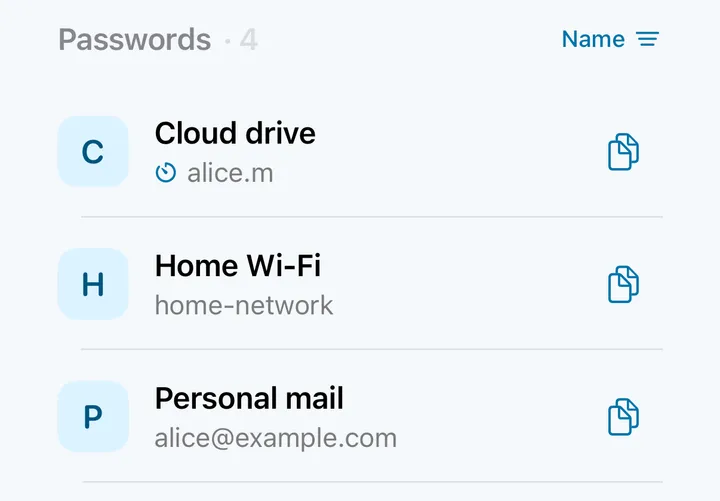
LOGINS
Passwords
Access to your email, work and favorite services — together in one vault.
A local password manager for your private files
Passwords, codes, files and notes in an encrypted vault on your device. Bring what matters into ChromVoid — no cloud account needed.
Download the appNo sign-up, no serverOther platforms

CV / 001For the everyday
An email password. Documents for a trip. An idea for later. Keep them together in one place.
Access to your email, work and favorite services — together in one vault.
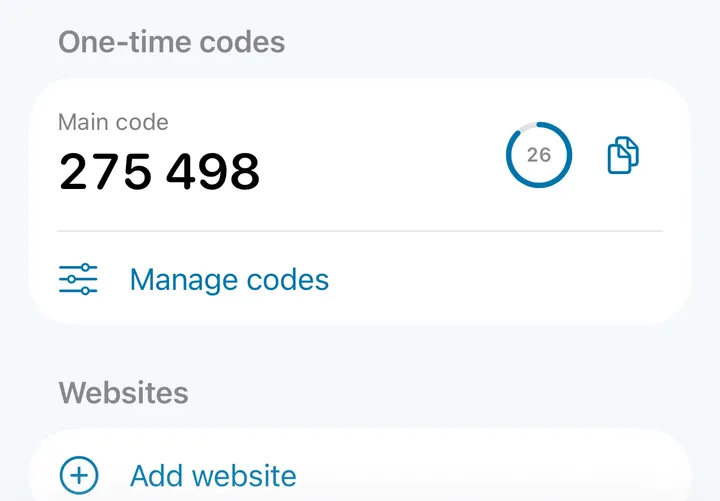
The second step of signing in, alongside your account details.
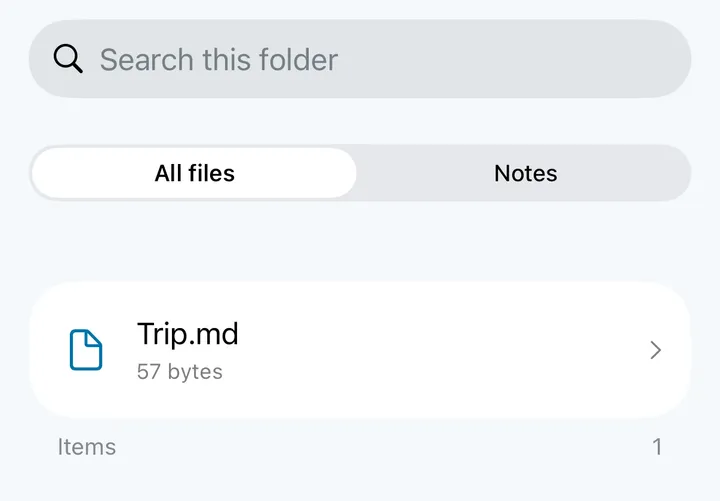
Important documents and attachments you want to keep close.
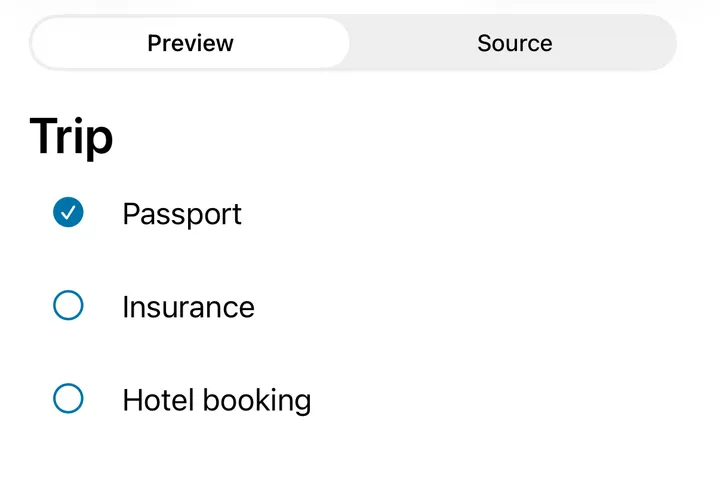
Private thoughts, plans and ideas that do not need an audience.
Screens from the pre-release iPhone app, demo data.
CV / 002How to start
No sign-up and no server. The first vault takes a minute.
macOS, Android, iPhone and iPad. From a store or as a direct build: version and checksums are on the release page.
To the downloadsNo sign-up: the vault is created right on the device. Its password stays with you and cannot be recovered, by you or by us.
How protection worksImport accepts 1Password and KeePass exports and CSV from other managers. A backup is an encrypted file you keep yourself.
About import and backupsOnce you are settled in, use the vault beyond the app: from your computer, in the browser and in the terminal, where your platform supports it. See the modules
CV / 003What is different
Most private-data apps are built around an account and a server. ChromVoid is built around your device: the vault is encrypted and stays with you, no cloud account needed.
You decide what to keep and who gets access.
That changes every scenario, from the browser to being pressed for a password.
the relay sees only envelopes
UsuallyThe account on a server is the source of truth. Devices keep a copy, and access depends on the service.
The vault lives on your device. There is no ChromVoid account to create, and no copy of the vault on a server.
UsuallyA built-in manager or an extension keeps its own copy of passwords in the browser profile.
The extension stores no secrets. It talks to the desktop app on the same computer, and autofill works only while the vault is unlocked.
How the extension worksUsuallyAn attachment is decrypted into a temporary folder and opened by another program.
Files, media and notes open inside the vault with the built-in viewer, player and editor. Handing them out is a separate, explicit action.
When you need a regular folderUsuallyEvery device syncs through a server that holds the whole vault.
The phone remains the host. A paired computer connects through a relay that sees only sealed envelopes. This is not sync and not a backup.
How access worksUsuallyOne master password opens everything, and a “wrong password” error confirms the vault exists.
Any password opens some vault; separate spaces exist for coercion scenarios. The limits are stated plainly: the app’s presence and the total data size cannot be hidden.
Read the limitsIf you need shared team vaults, seamless sync across every device, or password recovery by support, the ChromVoid model will get in your way rather than help. A backup is a file you keep yourself. Hardware FIDO keys are not supported yet; Windows and Linux builds are planned.
Read the threat modelCV / 004Reasons to trust
Protection needs clear principles. And clearly stated limits.
The Core source is open. You can study how ChromVoid works with your vault.
Explore the sourceWe explain what ChromVoid protects. And why encryption cannot protect an already compromised device.
Read the threat modelDirect builds come with a version, release notes and checksums. You can check the file you downloaded against the published one.
Latest releaseHidden spaces and coercion scenarios have limits. They cannot guarantee that the presence of private data is impossible to establish.
Understand the limitsCV / 005Modules
Modules connect the vault to your browser, system autofill, your computer and the terminal. Each one works where your platform and app version support it.
CV / 006Good to know
No. The vault works without signing up: there is no ChromVoid account, and your data stays on your device.
Yes. The app accepts 1Password exports (.1pux), KeePass databases (.kdbx) and the CSV or JSON files that Bitwarden, Chrome and most other managers produce. The import runs on your device.
A backup is an encrypted file you keep yourself: on a drive, a USB stick or any cloud. The medium only ever holds ciphertext. Without a usable copy and the vault password, recovery is impossible, and we cannot do it for you.
Recommendations in the threat modelNo. Available builds are listed in the download section. Modules depend on the platform, OS integrations and app version; each module’s description says where it works.
Modules and where they workCV / 007A place for your private life
Choose the app for your device. Create a vault. Keep what matters.
No sign-up: the vault is created on your device
Version, release notes and checksums for direct builds are on the release page. Latest release
Planned: Windows · Linux. Watch releases